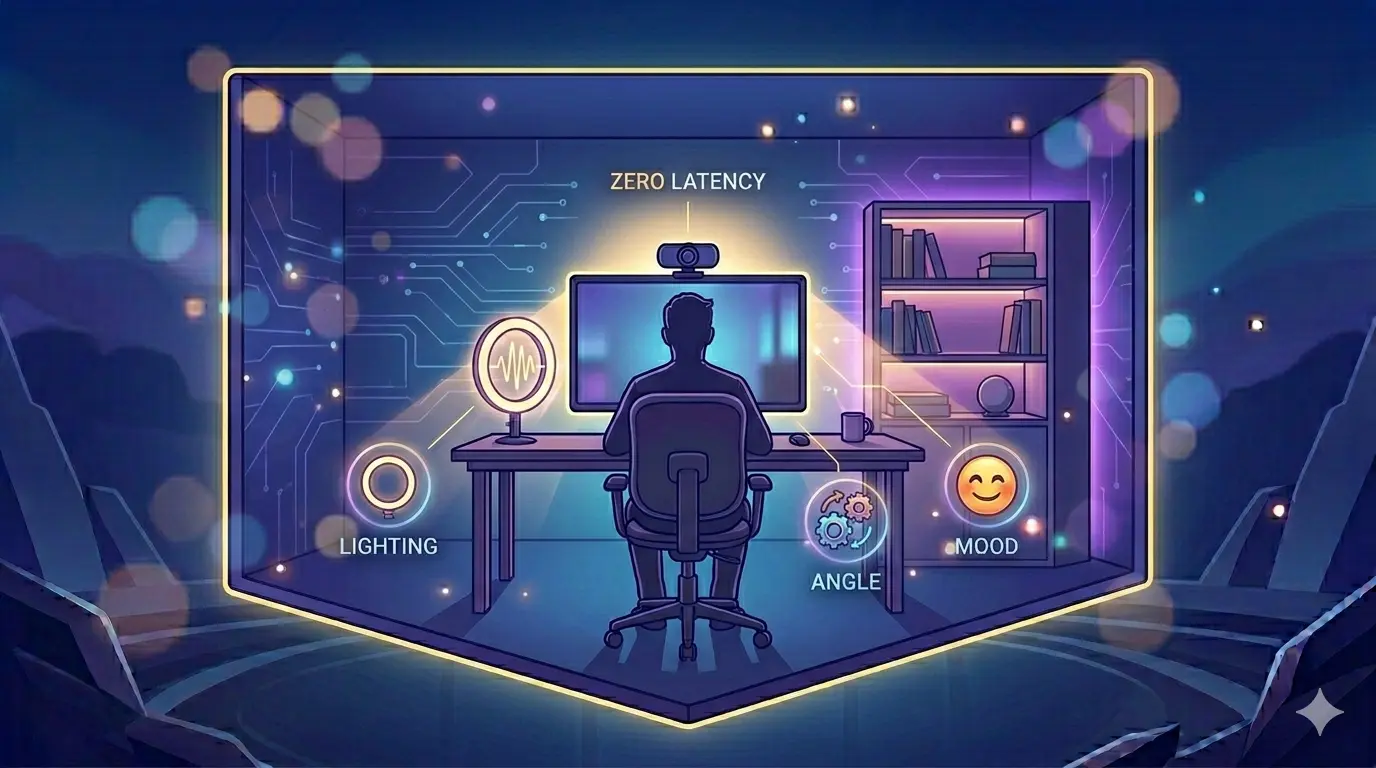
Lighting, Background, and Mood: The 2026 Home-Studio Guide for High-Quality Chat
In the digital age, your webcam feed is your digital handshake. The hardware inside our devices has evolved exponentially. By 2026, even budget smartphones and standard laptops possess cameras capable of recording in stunning high-definition. Yet, the vast majority of users on any random video chat platform still look grainy, shadowed, or unapproachable. The problem is almost never the camera lens; the problem is the environment.
First impressions in peer-to-peer networking happen in less than half a second. When a stranger connects with you, their brain is instantly assessing your visual feed to determine safety, approachability, and value. If your face is hidden in shadows or your background is chaotic, you will trigger a subconscious "flight" response. This is the root cause behind high skip rates, as we discussed in our deep dive into the psychology of the Next Button.
You do not need a Hollywood budget to fix this. You simply need to understand the physics of light, the geometry of camera angles, and the psychology of environmental curation. Here is the ultimate 2026 Home-Studio Guide for turning your bedroom or home office into a high-quality broadcasting space.
1. Mastering the Light: Defeating the "Interrogation Room" Effect
The single biggest mistake users make is positioning their primary light source *behind* them (such as sitting with their back to a bright window). This forces the camera sensor to expose for the bright background, turning your face into an anonymous, dark silhouette. Alternatively, relying solely on overhead room lighting casts harsh, unflattering shadows under your eyes and nose, creating what sociologists call the "Interrogation Room Effect."
To master your lighting, you must take control of your "Key Light." The key light is your primary source of illumination, and it must always be situated *in front* of you, ideally just behind or slightly to the side of your camera.
The Natural Light Hack
The cheapest and most effective key light is a window. If you are engaging in a 1-on-1 video call during the day, simply position your desk or phone stand so that you are facing the window. The natural, diffused sunlight will evenly illuminate your features, catch the reflections in your eyes, and instantly signal transparency and openness to the person on the other end of the connection.
The Nighttime Setup
If you are connecting after dark, do not rely on your computer screen's glow. Screen glow casts a sickly, cold blue light. Instead, use a dedicated desk lamp positioned just behind your monitor. To avoid blinding yourself, bounce the lamp's light off the wall behind your monitor, or drape a simple white piece of paper over the shade to act as a cheap diffuser. This creates a soft, wrap-around light that flatters the face.
2. The Power Dynamic of Camera Angles
Where you place your camera dictates the psychological power dynamic of the entire interaction. Most laptop users keep their devices flat on their desks, forcing the camera to shoot upwards at their face. This "low angle" shot is subconsciously interpreted as dominant or intimidating. Conversely, holding a phone high above your head (a "high angle") can make you appear submissive or overly manufactured.
The goal for platonic social discovery is equality. You want to establish a peer-to-peer relationship instantly. To achieve this, your camera lens must be exactly at **eye level**.
If you are on a laptop, stack some books underneath it or invest in a cheap laptop stand. When the camera is at eye level, it allows you to practice proper video chat eye contact naturally. You are no longer looking down on a stranger or looking up at them; you are looking *at* them, bridging the digital divide effortlessly.
3. Curating Your Background: The Ultimate Icebreaker
Your background is not just empty space; it is a billboard advertising who you are. A messy bed, a pile of laundry, or an entirely blank white wall communicates chaos or a lack of personality. However, a meticulously curated background can do the heavy lifting of starting a conversation for you.
Think of your background as "passive communication." Place objects in the frame that reflect your genuine interests. A well-stocked bookshelf, an acoustic guitar leaning against the wall, a vintage movie poster, or even a healthy houseplant provides instant context. When the video connects, the stranger immediately has a hook: "Hey, I love that poster, what's your favorite movie?"
The Digital Safety Caveat
While curating your background is vital for connection, it must be balanced with strict digital self-defense. Never have mail, sensitive documents, or family photos with identifiable names visible in the frame. Ensure that your background doesn't reveal your exact geographic location through a window. For a comprehensive breakdown of protecting your identity while remaining social, refer to our guide on safe stranger communication.
4. Why the Browser Amplifies the Details
Why does this studio guide matter more in 2026? Because the architecture of connection has changed. In the past, heavy native apps used aggressive compression algorithms that muddied the video feed to save server costs. Today, forward-thinking platforms utilize direct WebRTC protocols.
As detailed in our analysis of browser video vs. heavy native apps, a direct peer-to-peer connection means the video is not being heavily processed by a middleman server. The person on the other end is seeing the raw output of your camera. This high-fidelity, zero-latency feed means every detail—good or bad—is amplified. Good lighting is no longer a luxury; it is the fundamental requirement for taking advantage of modern web infrastructure.
Frequently Asked Questions
No. While ring lights are popular, they often create an unnatural, robotic circular reflection in the eyes or glasses. A standard LED desk lamp bounced off a wall provides much softer, more natural illumination that feels less "influencer" and more "human."
Use blur only as a last resort if your environment is chaotic. Artificial blur often clips around hair and shoulders, reminding the other person that they are looking at software. A real, slightly out-of-focus background with good lighting feels much more authentic and trustworthy.
Conclusion: Respecting the Connection
Taking five minutes to adjust your desk lamp, elevate your laptop, and tidy your background is not about vanity. It is an act of respect for the person on the other side of the screen. When you present yourself clearly and intentionally, you signal that you value the interaction. By transforming your environment into a high-quality home studio, you eliminate the visual friction that causes skips, paving the way for the meaningful, spontaneous global connections that define the modern internet.